If you own a KitchenAid mixer, you already know how powerful and reliable it is. But do you know the best way to tilt your mixer for easy access and cleaning?
Learning how to tilt your KitchenAid mixer properly can save you time and keep your kitchen mess-free. You’ll discover simple steps to tilt your mixer safely and efficiently. Keep reading to unlock this handy trick that will make your baking and cooking experience even better.
Credit: stories.kitchenaid.com
Mixer Tilt Mechanism
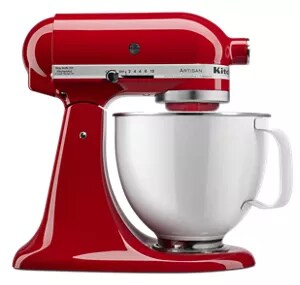
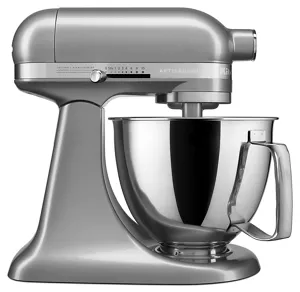
The tilt-headand bowl-liftare two main KitchenAid mixer designs. Tilt-head models let you raise the mixer headto add or remove attachments easily. Bowl-lift models keep the head fixed while you raise or lower the bowlusing a lever.
Key parts in the tilt mechanism include the head latch, which locks the head in place, and the hingethat allows the head to tilt back. The bowl-lift leverraises and lowers the bowl smoothly in bowl-lift models.
| Part | Function |
|---|---|
| Head Latch | Secures the mixer head during use |
| Hinge | Allows the head to tilt back in tilt-head models |
| Bowl-Lift Lever | Raises or lowers the bowl in bowl-lift models |
Safety Precautions
Always unplug the mixerbefore tilting it. This stops any accidental starts. Pull the plug gently from the socket, not the cord. Keep the cord away from water or sharp edges.
Remove all attachments before tilting. This includes the beater, dough hook, or whisk. Attachments can be heavy and cause imbalance. Handle them carefully to avoid dropping or breaking.
- Hold attachments firmly when removing.
- Clean attachments before storing.
- Check for damage or wear regularly.
Steps To Tilt The Mixer
Locate the tilt lock lever on the mixer’s side. Press or pull it gently to release the lock. This allows the mixer head to move freely.
Hold the mixer head firmly and lift it upwards. Move slowly to avoid sudden jerks. The head should tilt back smoothly.
Once tilted, push the tilt lock lever back to secure the head. Ensure it clicks into place. This keeps the mixer stable during use.
Common Issues And Fixes
Stuck mixer headcan be caused by debris or dried ingredients. Clean the hinge area gently with a damp cloth. Avoid using force to tilt the head as it may cause damage. Lightly lubricate the hinge with food-safe oil if it remains stuck. Ensure the mixer is unplugged before attempting any fixes.
Tilt lock malfunctionhappens when the lock does not release the mixer head. Check for obstructions inside the lock mechanism. Press the tilt lock lever firmly while trying to tilt the head. If the lock is broken, contact a professional for repair or replacement parts.
Maintenance Tips
Cleaning around the tilt mechanismkeeps your mixer working well. Use a soft cloth to wipe away dust and food bits. Avoid water near the hinge to stop rust and damage. A small brush helps reach tight spaces. Regular cleaning prevents sticky build-up that can block movement.
Lubrication keeps the tilt joint smooth. Use a few drops of light machine oil on the hinge. Wipe off extra oil to avoid drips on food. Lubricate every few months or if the tilt feels stiff. Proper care extends your mixer’s life and keeps it easy to use.
Credit: stories.kitchenaid.com

Credit: food52.com
Frequently Asked Questions
How Do I Tilt A Kitchenaid Mixer Head Safely?
To tilt your KitchenAid mixer head, first unplug the machine. Then, lift the lever on the side gently until the head locks in the tilted position. This allows easy access to the bowl and attachments for cleaning or ingredient addition.
When Should I Tilt The Kitchenaid Mixer Head?
Tilt the mixer head when attaching or removing accessories. It also helps to add ingredients mid-mixing and to clean the bowl or attachment area. Tilting improves convenience and safety during these tasks.
Can Tilting The Mixer Damage The Kitchenaid?
No, tilting the mixer head as instructed does not damage the mixer. It is designed for regular tilting to access attachments and the bowl. Always tilt gently and avoid forcing the lever to prevent wear.
What If The Kitchenaid Mixer Head Won’t Tilt?
If the mixer head won’t tilt, ensure the mixer is unplugged and the locking lever is fully raised. Check for any blockages or debris around the hinge. If problems persist, consult the user manual or contact customer support.
Conclusion
Tilting your KitchenAid mixer makes baking easier and faster. It helps you add ingredients without hassle. Always unlock the tilt lever gently to avoid damage. Remember to lower the mixer head slowly after use. This simple step keeps your mixer safe and ready.
Practice a few times to feel confident. Soon, tilting will become a smooth part of your baking routine. Enjoy mixing with less mess and more control. Your KitchenAid mixer will work better for every recipe.