Is your Kitchenaid refrigerator’s water not tasting as fresh as it used to? It might be time to change the water filter.
You don’t need to call a technician or spend hours figuring it out. In this guide, you’ll learn exactly how to replace your Kitchenaid water filter quickly and easily. By following these simple steps, you’ll ensure clean, great-tasting water for you and your family.
Keep reading, and you’ll be done in no time!
Identify Your Filter Type
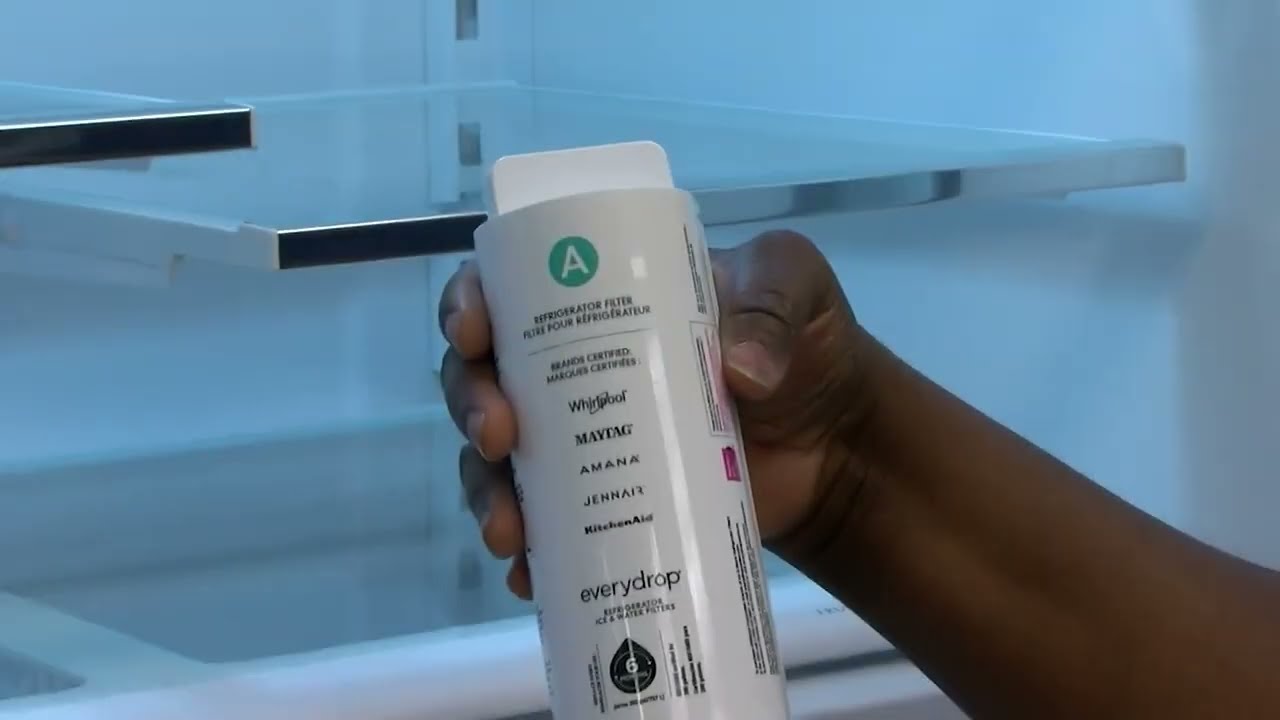
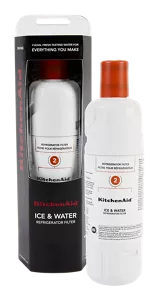
Check inside your Kitchenaid refrigeratorto find the water filter. It is usually located in the upper right corner or bottom grille. The filter model number is often printed on the filter itself or on a sticker near it.
Write down the filter model numbercarefully. This number helps to find the right replacement filter. Using the wrong filter can cause leaks or poor water quality.
Check the compatibilityof the new filter with your refrigerator model. Look at the user manual or the official Kitchenaid website. Make sure the new filter matches the model number you wrote down.
- Locate filter inside refrigerator or bottom grille
- Find and note filter model number on the filter or sticker
- Confirm new filter matches your refrigerator’s model number
Credit: www.kitchenaid.com
Gather Necessary Tools
Gathering the right tools makes the filter change easier. You will need a replacement water filterthat fits your Kitchenaid model. Keep a towelhandy to catch drips. A bucketcan help in case of spills. Some models may require a filter wrench. Check your user manual for any specific tool needs.
Safety is important. First, turn off the water supplyto avoid leaks. Unplug the refrigerator to prevent any electric accidents. Avoid using sharp tools near the filter area. Keep your hands dry to prevent slipping. Make sure the area is clean and dry before starting.
Prepare The Refrigerator
First, locate the water supply valve. It is usually behind the refrigerator or under the sink. Turn the valve clockwise to stop the water flow. This prevents spills during filter changes. Ensure the valve is tightly closed. Check if water stops flowing by trying the dispenser.
After changing the filter, reset the dispenser. Press the reset button for three seconds. This button is often inside the fridge or near the water filter. Look for a small, round button. Resetting helps the fridge work well with the new filter.
Remove The Old Filter
Locate the filter compartmentinside your Kitchenaid refrigerator. It is usually found in the upper right corner or inside the fridge near the top. Open the compartment by pulling or pressing the cover gently. This exposes the old water filter.
To release the filter, press the release buttonor twist the filter counterclockwise. Pull the filter straight out with a steady hand. Be careful to avoid spilling any water inside. Keep a towel handy for any drips.
Install The New Filter
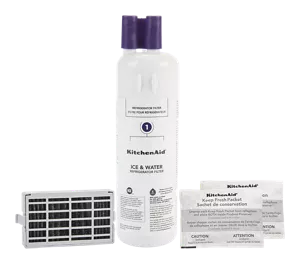
Hold the replacement filter with the arrows pointing forward.
Align the filter with the filter housing inside the fridge.
Push the filter gently into the slot until it stops.
Turn the filter clockwise about a quarter turn to lock it.
Make sure the filter feels secure and does not move.
Open and close the fridge door to test the fit.
Press the water dispenser button to clear air from the filter.
- Insert filter with correct arrow direction.
- Push firmly until filter stops.
- Turn filter clockwise to lock.
- Check that filter is tight.
- Flush water to remove air.
Credit: www.kitchenaid.com
Flush The New Filter
Run water through the dispenser for about 3 to 5 minutes. This helps flush out airand loosen impuritiesfrom the new filter. Water flow might sputter at first; this is normal. Keep running water until it flows smoothly.
Flushing the filter ensures clean and fresh-tasting water. It also prevents cloudy wateror filter damage. Use a large container to catch the water during flushing. This step is important for optimal filter performance.
Reset Filter Indicator
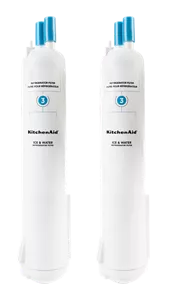
Use the refrigerator’s control panel to reset the water filter indicator. Find the button labeled “Filter Reset”or “Reset”. Press and hold this button for about 3 seconds. The indicator light will blink, showing the reset is in progress.
Check that the filter indicator light turns off after resetting. This confirms the system recognizes the new filter. If the light stays on, repeat the reset process or check the user manual for your model.
Credit: www.kitchenaid.com
Troubleshooting Tips
Filter Not Fitting Properly:Make sure to remove the old filter completely before inserting the new one. Align the new filter with the slot carefully. Push it in until you hear a click. Do not force it; the filter should fit smoothly. Check if the filter is the correct model for your Kitchenaid refrigerator.
Water Leakage Issues:Check that the filter is installed tightly. Loose filters often cause leaks. Inspect the O-ring on the filter for damage or dirt. Replace the O-ring if it looks worn out. Also, ensure the water line connected to the filter is secure and not cracked.
Dispenser Not Working:Sometimes air gets trapped after changing the filter. Press the water dispenser button for a few minutes to clear the air. Make sure the filter is fully seated. If the dispenser still does not work, check the water supply valve to see if it is open.
Frequently Asked Questions
How Often Should I Change My Kitchenaid Water Filter?
Change your Kitchenaid water filter every 6 months or after filtering 200 gallons. Regular changes ensure clean, fresh-tasting water and prevent clogging. Check your user manual for model-specific recommendations to maintain optimal water quality and appliance performance.
Where Is The Water Filter Located In Kitchenaid Fridge?
The water filter is usually located inside the refrigerator compartment. Common spots are the upper right corner or the base grille. Refer to your model’s manual for exact placement to make replacement quick and easy.
How Do I Reset The Water Filter Indicator Light?
Press and hold the reset button on the control panel for 3-5 seconds. The indicator light will turn off, signaling a successful reset. This step is necessary after every filter change to track usage accurately.
Can I Use Any Water Filter In My Kitchenaid Fridge?
Use only Kitchenaid-approved filters to ensure compatibility and water quality. Generic filters may not fit properly or filter contaminants effectively, risking appliance damage and poor water taste.
Conclusion
Changing the water filter on your KitchenAid refrigerator keeps water fresh and clean. It only takes a few steps and little time. Regular filter changes help your fridge work well and last longer. Clean water tastes better and is healthier for your family.
Remember to check the filter every six months. Stay on top of this simple task for great results. Your fridge will thank you with pure, refreshing water every day. Easy, quick, and worth it.