Is your KitchenAid mixer acting up right when you need it most? You’re not alone, and the good news is—you don’t always need to call a repair service or buy a new one.
Imagine saving time and money by fixing your mixer yourself with simple steps anyone can follow. In this guide, you’ll discover clear, easy instructions to get your KitchenAid mixer back to perfect working order. Keep reading, and you’ll feel confident tackling the repair, making your kitchen routine smooth again.
Common Mixer Issues
Motor problemsoften cause the mixer to stop working or work slowly. The motor might burn out or have loose wires. Checking the motor and its connections can help find the issue quickly.
Attachment hub malfunctionscan stop the mixer from holding attachments firmly. This makes mixing hard or uneven. Inspecting the hub for damage or dirt can fix the problem.
Speed control failureshappen when the mixer does not change speed properly. The control knob or switch might be broken or dirty. Cleaning or replacing these parts usually restores speed control.
Unusual noiseslike grinding or squealing can mean worn gears or loose parts. Listening carefully helps find the source. Tightening or replacing broken parts can stop the noise.
Overheatingoccurs when the mixer runs too long or the motor is faulty. Let the mixer cool down before using again. Checking ventilation and motor health prevents this problem.

Credit: www.reddit.com
Tools Needed
Basic screwdrivers are essential for opening the mixer casing. A flat-head and a Phillips-head screwdriver work best for most screws.
Wrenches and pliers help in loosening and tightening bolts and nuts. They also assist in holding small parts firmly during repair.
A multimeter checks electrical parts like switches and motors. It helps find if the mixer has wiring issues or broken circuits.
Replacement parts include belts, gears, or motor brushes. Having the correct parts ready makes the repair faster and easier.
Safety Precautions
Always unplug the mixerbefore starting any repairs. Electricity can be dangerous. Keep it safe by ensuring no power flows to the device. Double-check that the plug is out.
Wear protective glovesto protect your hands. Safety glasses keep your eyes safe. Your safety is important. Don’t skip wearing this gear. It protects you from harm.
Be gentle with electrical parts. They can break easily. Use a screwdriverto remove screws carefully. Avoid touching wires directly. Keep your workspace clean. This helps prevent accidents.
Disassembling The Mixer
Start by unplugging the mixer to ensure safety. Use a screwdriver to remove the screws holding the outer cover. Keep screws in a safe place to avoid losing them. Gently lift the cover off to expose the inner parts.
The motor and gearsare now visible. Take care not to touch any wires directly. Use a flashlight if needed for better visibility. Check for any obvious damage or wear on the gears and motor.
Detach any attachmentsby pressing the release button or twisting them off. Clean the attachment areas before reassembling. This helps the mixer work smoothly after repairs.
Fixing Motor Issues
Testing the motor helps find if it works or not. Unplug the mixer first. Use a multimeter to check motor continuity. If the meter shows no reading, the motor may be faulty. Listen for humming sounds when plugged in; it may mean motor issues.
Brushes wear out over time and need replacing. Remove the mixer housing to find brushes near the motor. Pull old brushes out carefully. Insert new brushes the same way. This can fix many motor problems.
Lubricating moving parts keeps the mixer running smooth. Use food-safe grease on gears and shafts. Avoid over-greasing, which can cause dirt buildup. Regular lubrication reduces wear and noise.
Repairing Speed Control
Check the control boardfor signs of damage or loose wires. A faulty board can cause speed issues. Use a multimeter to test connections and ensure power flows properly. Replace the board if it shows visible burns or faults.
Faulty switches can stop the mixer from changing speeds correctly. Test each switch with a multimeter for continuity. Replace any switch that does not work properly. This will help the mixer respond to speed changes.
Speed settings may need adjustmentif the mixer runs too fast or too slow. Adjust the dial or slider gently to check responsiveness. Fine-tune settings until the mixer runs smoothly at all speeds.
Resolving Attachment Hub Problems
Loose parts in the attachment hub can cause poor mixer performance. Use a wrench to gently tighten all screws and bolts. Make sure not to overtighten to avoid damage.
Replacing the hub clamp is easy. First, remove the old clamp by loosening its screws. Next, place the new clamp in position and tighten the screws securely. This improves the mixer’s grip on attachments.
Lubricating the hub mechanism helps it move smoothly. Apply a small amount of food-safe lubricant to the moving parts inside the hub. Rotate the hub to spread the lubricant evenly. This reduces friction and wear.

Credit: www.youtube.com
Reassembling The Mixer
Reattach the mixer covers carefully, aligning all parts correctly. Make sure the covers fit snugly to avoid any gaps. Use the original screws to secure each cover in its place. Tighten screws evenly to keep the covers firm but avoid over-tightening to prevent damage.
Check all screws are in their proper places and tightened well. Missing or loose screws can cause the mixer to malfunction or create noise. Use a screwdriver that fits the screw heads to avoid stripping.
Once reassembled, plug in the mixer and test its functions. Turn it on at low speed first to listen for unusual sounds. Check that all parts move smoothly without resistance or grinding. Stop the mixer immediately if you notice any issues and recheck the assembly.
Maintenance Tips
Regular cleaningkeeps your KitchenAid mixer working well. Wipe the exterior with a damp cloth after each use. Remove and wash attachments in warm, soapy water. Avoid harsh chemicals that can damage parts. Clean the mixing bowl thoroughly to prevent food buildup.
Proper storageprotects your mixer from dust and damage. Store it in a dry place, away from heat sources. Cover the mixer with a cloth or plastic cover to keep it clean. Keep attachments organized to avoid losing small parts.
Routine inspectionshelp spot problems early. Check the power cord for cuts or frays. Listen for unusual sounds during operation. Tighten loose screws and bolts. Replace worn or broken parts promptly to keep the mixer safe and reliable.
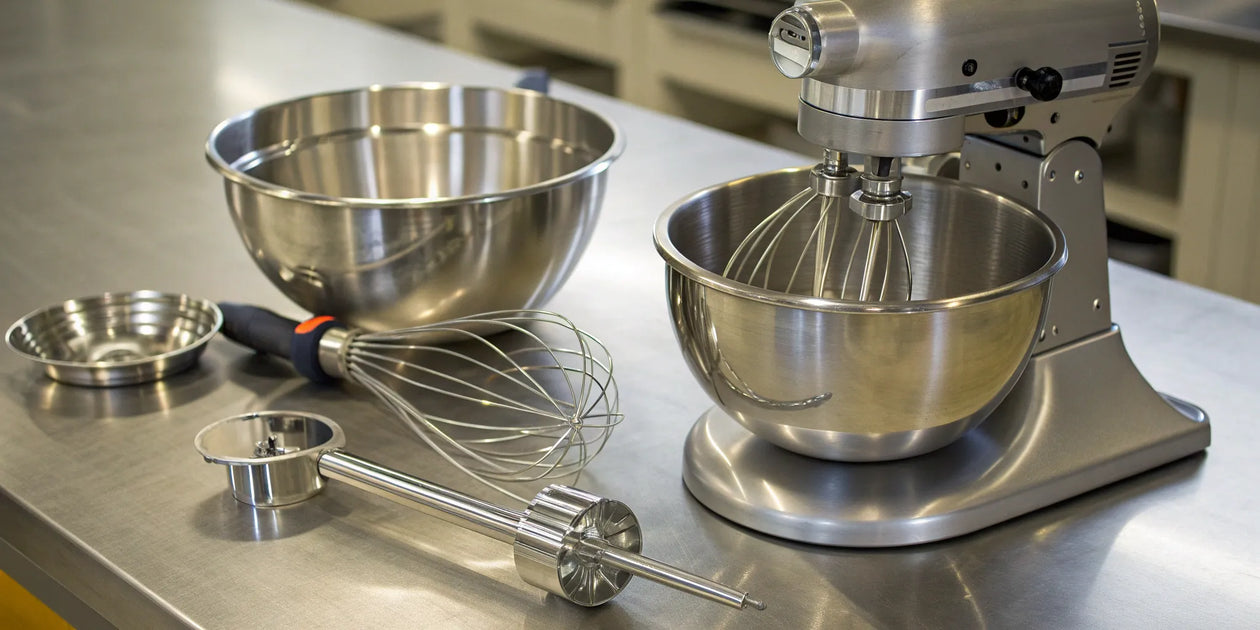
Credit: therestaurantwarehouse.com
When To Seek Professional Help
Complex electrical issuesoften need expert skills. Mixing machines have many small parts inside. Electrical faults can cause more damage if handled wrongly. Professionals have tools and knowledge to fix these safely.
Warranty considerationsare very important. Repairing your mixer yourself might void the warranty. If your mixer is still under warranty, contacting the service center is best. This keeps your warranty valid and protects your rights.
Safety concernsshould never be ignored. Mixers use electricity and moving parts that can be dangerous. If you see sparks, burning smells, or smoke, stop using it immediately. Calling a professional prevents risks of electric shock or injury.
Frequently Asked Questions
How Do I Fix A Kitchenaid Mixer That Won’t Start?
Check if the mixer is properly plugged in and the outlet works. Inspect the power cord for damage. Reset the mixer by turning it off and on. If it still won’t start, the motor or switch may need professional repair.
Why Is My Kitchenaid Mixer Making Loud Noises?
Loud noises often indicate worn gears or lack of lubrication. Clean and oil the gears if accessible. If noise persists, damaged internal parts may require replacement. Regular maintenance prevents excessive wear and tear on your mixer.
How Can I Replace A Broken Kitchenaid Mixer Attachment?
Detach the broken attachment by twisting or pulling it off. Purchase the correct replacement from the manufacturer or trusted sellers. Attach the new part securely before use. Always ensure compatibility to avoid damage to your mixer.
What Causes A Kitchenaid Mixer To Overheat?
Overheating usually results from prolonged use or blocked ventilation. Allow the mixer to cool down between uses. Clean vents to ensure proper airflow. Persistent overheating may indicate motor issues needing expert service.
Conclusion
Repairing your KitchenAid mixer can save time and money. Simple fixes often solve common problems quickly. Always unplug the mixer before starting any work. Use the right tools and follow safety steps carefully. Patience helps when handling small parts or tricky spots.
Keep your mixer clean to avoid future issues. Regular maintenance extends the mixer’s life. With the right approach, you can keep your mixer running smoothly. Try these tips and enjoy baking without interruption. Fixing it yourself feels good and builds confidence.