Ever felt overwhelmed by the thought of using your KitchenAid mixer to its full potential? You’re not alone.
Many people buy this powerful kitchen tool, only to let it gather dust because they’re unsure of where to start. But what if you could unlock the secrets to making your cooking experiences easier and more enjoyable? Imagine effortlessly whipping up fluffy cakes, perfectly kneading dough, or mixing the smoothest batters with just a flick of a switch.
By the end of this guide, you’ll not only know how to use your KitchenAid mixer like a pro, but you’ll also discover tips and tricks that will transform your time in the kitchen. Intrigued? Keep reading, because mastering your KitchenAid mixer might just be the best kitchen decision you ever make.
Credit: www.kitchenaid.com
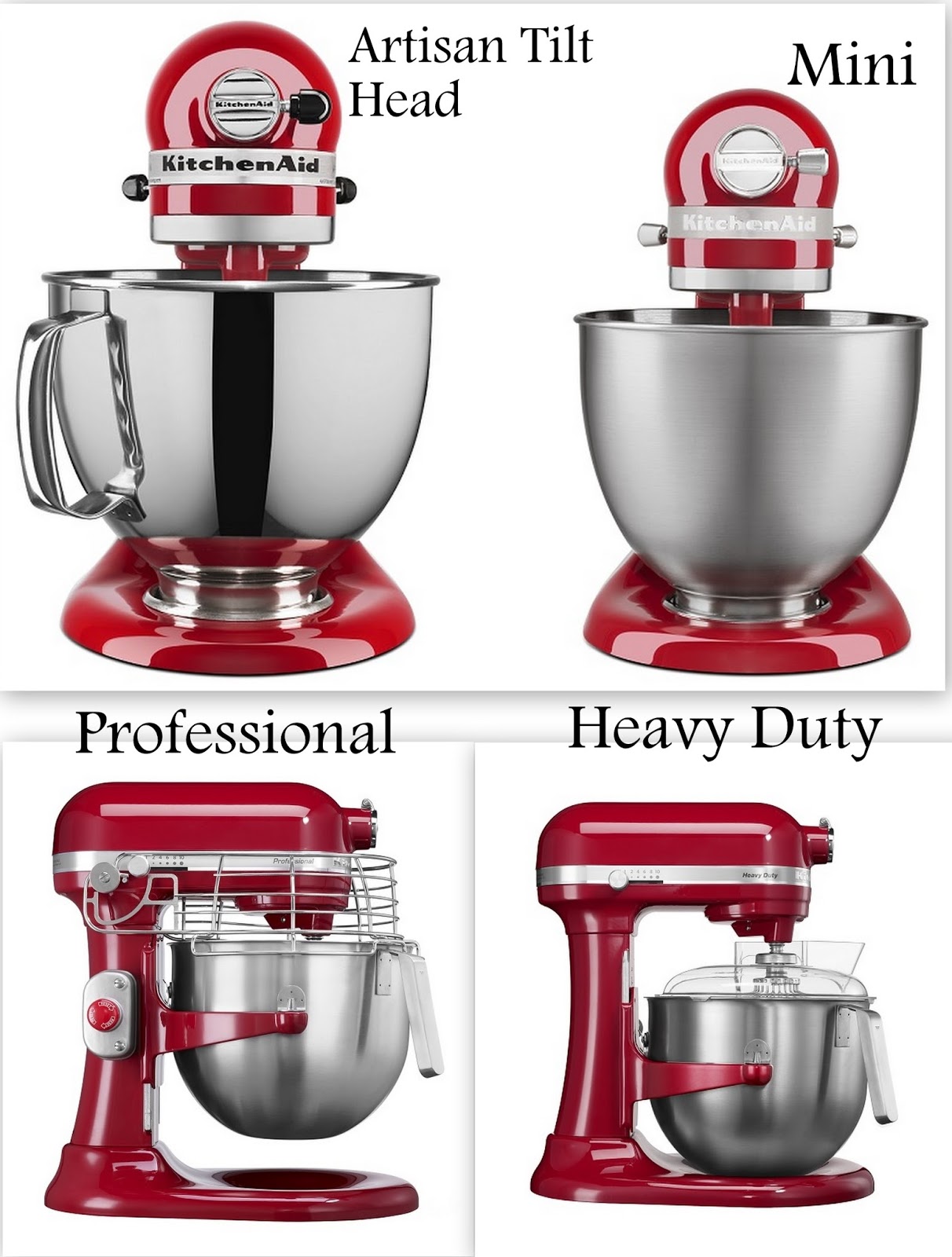
Choosing The Right Mixer Model
Stand mixersare large and powerful. They sit on the counter and can mix heavy doughs and large batches. Great for baking and cooking. Hand mixersare small and light. They are easy to hold and good for quick tasks like whipping cream or mixing batter.
Key features to think about:
- Power:Stand mixers have stronger motors than hand mixers.
- Speed settings:More speeds mean better control.
- Attachments:Some mixers come with extra tools like dough hooks or beaters.
- Size and weight:Hand mixers are easier to store and carry.
- Capacity:Stand mixers can handle bigger amounts of ingredients.
Setting Up Your Mixer
Remove the mixer and parts carefully from the box. Check the package for all pieces.
Place the mixer on a clean, flat surface. Ensure it is stable before use.
- Hold the mixing bowl by the handles.
- Align the bowl with the base.
- Turn the bowl clockwise until it locks in place.
Choose the right attachment for your recipe. Common options are:
| Attachment | Use |
|---|---|
| Flat Beater | Mixing cake batter, cookie dough |
| Wire Whip | Whipping cream, egg whites |
| Dough Hook | Kneading bread or pizza dough |
Insert the attachment into the mixer head. Twist or push until it clicks.
Basic Controls And Settings
The speed settingson a KitchenAid mixer range from 1 to 10. Lower speeds are good for mixing and stirring. Higher speeds work well for whipping and beating. Use speed 1 or 2 for slow stirring. Speed 4 or 5 is great for normal mixing. Speeds 8 to 10 help to whip cream or egg whites quickly.
The mixer has two styles: tilt-headand bowl-lift. Tilt-head models let you raise the headto add ingredients or change attachments. Bowl-lift models have a lever that raises and lowers the bowl. The bowl stays steady during mixing, which is good for heavy dough.

Credit: www.youtube.com
Mixing Techniques
Creaming and whippinghelp make cakes and desserts light. Use the paddle attachment. Beat butter and sugar together until soft and fluffy. For whipping cream, switch to the whisk attachment. Whip cold cream at medium speed until soft peaks form.
Kneading doughneeds the dough hook. Mix ingredients until dough forms a ball. Let the mixer knead gently to develop gluten. Stop when dough is smooth and elastic. Avoid over-kneading which makes dough tough.
Folding ingredientsmeans mixing gently to keep air. Use a spatula or low mixer speed. Add dry ingredients slowly to wet mix. Fold carefully to keep batter light and airy.
Using Attachments
The Pasta Makerattachment helps create fresh pasta shapes. Attach it to the mixer and feed dough through to get sheets or noodles. Adjust thickness for desired pasta texture.
The Meat Grinderattachment grinds meat quickly. Use it for burgers, sausages, or meatballs. Make sure to cut meat into small pieces before grinding.
The Vegetable Spiralizercuts veggies into spiral shapes. Perfect for salads or healthy noodles. Choose the right blade for different spiral sizes.
Cleaning And Maintenance
Detach all removable parts like the bowl, beaters, and attachments. Wash them with warm, soapy water. Rinse well and dry completely before reattaching. Avoid putting parts with electrical components in the dishwasher.
Wipe the mixer body with a damp cloth. Do not use abrasive cleaners that could damage the surface. Clean around knobs and buttons carefully to remove any food particles.
| Motor Care Tips |
|---|
|
Troubleshooting Common Issues
Mixer not turning oncould be due to a loose power cord or outlet issue. Check if the mixer is properly plugged in. Try a different outlet to see if power is the problem. Reset the circuit breaker if needed. Inspect the power switch for damage or dirt that might block connection.
Unusual noisesoften mean parts need cleaning or lubrication. Remove attachments and clean them thoroughly. Check for any stuck ingredients inside. Tighten any loose screws or parts. If the noise continues, the motor or gears might need professional help.
Overheating problemshappen when the mixer runs for too long without breaks. Let the mixer cool down after long use. Avoid overloading the bowl with heavy dough or mixtures. Keep vents clear of dust to allow airflow. If overheating persists, stop using and contact support.

Credit: www.kitchenaid.ca
Safety Tips For Operation
Always keep hands and utensils away from moving parts. Switch off the mixer before changing attachments. Ensure the mixer is on a flat surface to avoid tipping over. Use the correct speed settings for each task to prevent splashes or motor strain.
Store the mixer in a clean, dry place. Wrap the cord neatly to avoid damage. Keep attachments in a separate container to prevent loss. Regularly clean the mixer to maintain hygiene and performance.
Frequently Asked Questions
How Do I Assemble A Kitchenaid Mixer?
Attach the bowl by aligning it with the base. Lock it in place by turning it clockwise. Secure the beater or attachment by inserting it into the hub and twisting until it clicks.
What Speed Settings Should I Use For Mixing?
Start at low speed to prevent splattering. Increase speed gradually based on the recipe. Use higher speeds for whipping and lower speeds for kneading dough.
How Do I Clean My Kitchenaid Mixer Safely?
Unplug the mixer before cleaning. Wipe the exterior with a damp cloth. Remove attachments and wash them with warm, soapy water. Never immerse the mixer base in water.
Can I Use A Kitchenaid Mixer For Dough?
Yes, use the dough hook attachment. Mix on low to medium speed to knead dough effectively. Avoid high speeds to prevent motor strain.
Conclusion
Using a KitchenAid mixer makes cooking easier and faster. It saves time and effort in mixing ingredients. You can try many recipes with different attachments. Cleaning the mixer is simple and quick. Practice helps you get comfortable with its speed settings.
Enjoy baking and cooking with your KitchenAid every day. A good tool can make your kitchen work more fun. Keep experimenting and see what you can create next.