Is your KitchenAid dishwasher stuck and refusing to open? It can be frustrating when you need clean dishes but the door won’t budge.
Luckily, unlocking your dishwasher doesn’t have to be complicated. You’ll discover simple, step-by-step methods to unlock your KitchenAid dishwasher quickly and safely. Whether it’s a child lock, a stuck latch, or a control panel glitch, you’ll find easy solutions that get your dishwasher working again.
Keep reading to take control and get your kitchen back in order without stress.
Reasons For A Locked Dishwasher
Child Lock Featurestops the dishwasher from running accidentally. It keeps kids safe by locking buttons. This feature blocks all controls until turned off.
Control Panel Lockhappens when buttons are pressed for too long. It prevents changes during a cycle. This lock protects the dishwasher settings from mistakes.
Error Lock Statesoccur when the dishwasher senses a problem. It may stop working to avoid damage. Error codes appear on the display to guide fixes.
Credit: www.kitchenaid.com
Locating The Lock Button
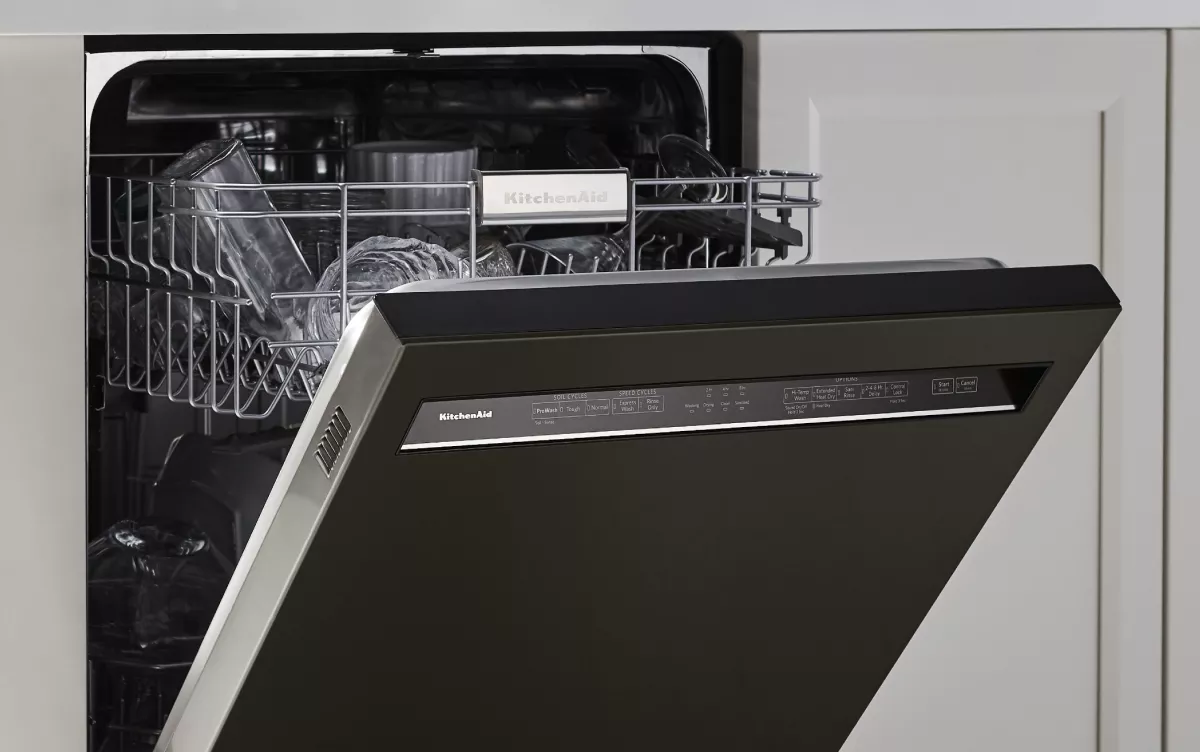
The lock buttonon a KitchenAid dishwasher is usually easy to find. It is often near the control panelor on the front edge of the door. This button helps to prevent accidental changes during a wash cycle.
- Common placements include the top right cornerof the control panel.
- Sometimes the button is hidden behind a small cover.
- Look for a button labeled “Control Lock”or “Child Lock”.
Lock symbols help identify the button quickly. These symbols often look like a small padlockor a key. The symbol may be next to or on the button itself. Press and hold this button for a few seconds to disable the lock.
Methods To Unlock The Dishwasher
Press and hold the “Control Lock” or “Child Lock” button on the control panel for 3 to 5 seconds. The lock icon will disappear, showing the dishwasher is now unlocked. This prevents accidental button presses during a wash cycle.
Unplug the dishwasher or turn off the circuit breaker for about 5 minutes. This resets the dishwasher’s electronics and clears any errors. Plug it back in or switch the breaker on to restart the system.
Turn off the dishwasher and wait for a few minutes. Then, turn it back on. This power cycle can clear minor glitches that cause the door or controls to stay locked. Make sure the dishwasher is not mid-cycle before trying this.

Credit: www.youtube.com
Troubleshooting Unlock Issues
Error codesappear on the display if the dishwasher has a problem. Check your user manual for code meanings. Common codes may show issues with water flow or door lock. Clearing the error code can sometimes fix the lock problem.
The door latchmust fully close for the dishwasher to start. Inspect the latch for dirt, damage, or misalignment. Clean it gently with a soft cloth. If broken, the latch might need replacing to allow the door to lock properly.
- Try simple fixes like unplugging the dishwasher for a few minutes.
- If the door still won’t lock, avoid forcing it.
- Contact Kitchenaid supportfor professional help.
- Have your model number ready before calling.
Preventing Future Locks
The lock feature on a KitchenAid dishwasher helps keep children safe and stops accidental button presses. Use the lock only when needed. Press and hold the lock button until the light turns on. To unlock, press and hold again until the light goes off.
Regular cleaning keeps the dishwasher working well. Clean the filter and spray arms every month. Check the door gasket for dirt or damage. Wipe the control panel with a soft cloth to avoid sticky buttons.
| Maintenance Tip | Frequency | Why It Matters |
|---|---|---|
| Clean filter | Monthly | Prevents clogs and improves cleaning |
| Check spray arms | Monthly | Ensures proper water flow |
| Inspect door gasket | Monthly | Stops leaks and maintains seal |
| Wipe control panel | Weekly | Keeps buttons responsive |

Credit: www.manua.ls
Frequently Asked Questions
How Do I Unlock My Kitchenaid Dishwasher Door?
To unlock the door, press and hold the “Cancel” or “Start/Reset” button for 3 seconds. The door will unlock after a few moments. If it doesn’t, check if the dishwasher cycle is still running or if the child lock is activated.
Why Is My Kitchenaid Dishwasher Door Stuck?
A stuck door often results from a locked control panel, ongoing cycle, or water inside. Ensure the dishwasher is off, wait for the cycle to complete, or deactivate the child lock to unlock the door safely.
How To Disable Child Lock On Kitchenaid Dishwasher?
Press and hold the “Heated Dry” and “Normal” buttons simultaneously for 3 seconds. This action disables the child lock, unlocking the control panel and door. Refer to your model’s manual if this doesn’t work.
Can I Open Kitchenaid Dishwasher Mid-cycle?
Opening mid-cycle may pause the dishwasher temporarily. Press the “Pause” or “Cancel” button to stop the cycle, wait for the door lock to release, then open the door carefully to avoid water spills.
Conclusion
Unlocking your Kitchenaid dishwasher is easier than it seems. Follow the simple steps carefully to avoid mistakes. Always check the manual for your model’s details. Keep the controls clean and dry to prevent locks. Regular care helps the dishwasher work smoothly.
Don’t rush; patience leads to success. Now, your dishwasher can start washing again without trouble. Enjoy clean dishes with less hassle every day.