Is your KitchenAid dishwasher stuck on Control Lock, and you’re not sure how to turn it off? You’re not alone.
This feature can be confusing, especially when you just want to get your dishes cleaned quickly. But don’t worry—turning off the Control Lock is easier than you think. You’ll learn simple steps to regain control of your dishwasher and get it working like new again.
Keep reading, and you’ll have your dishwasher unlocked in no time.
Locate The Control Lock Feature
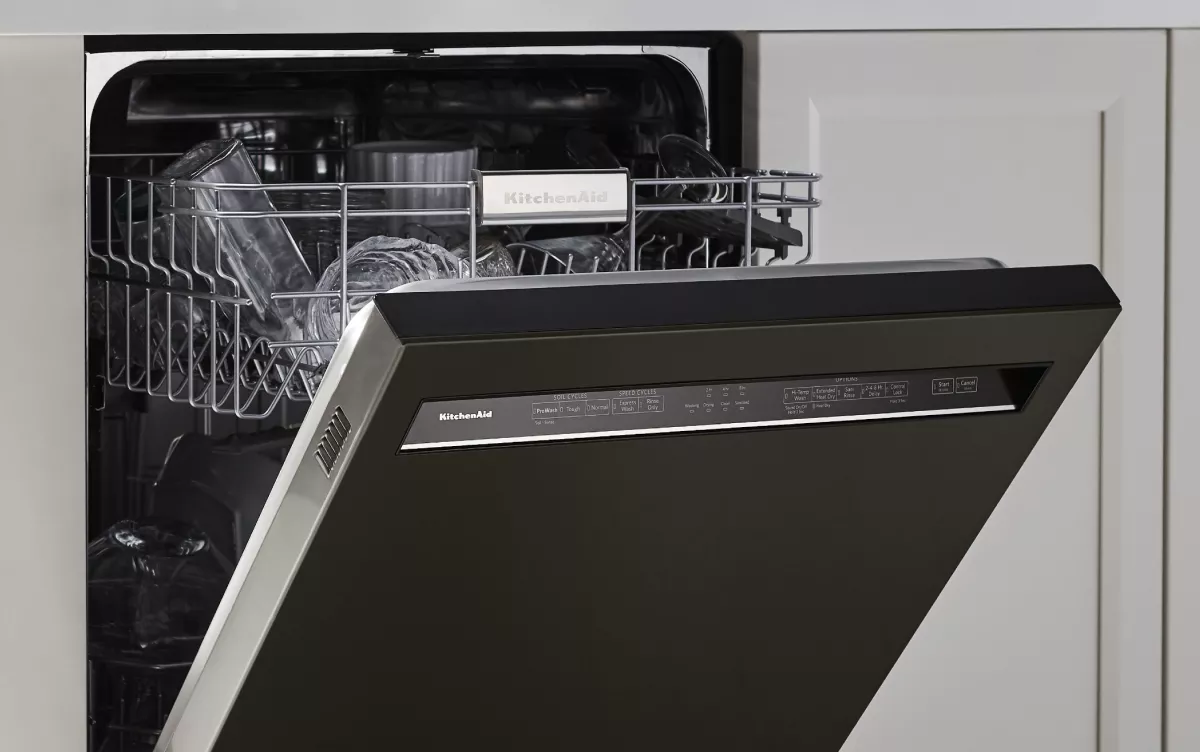
The Control Lock featureon KitchenAid dishwashers stops buttons from working. It helps to avoid accidental changes during a wash cycle. Usually, the Control Lock button has a small lock icon. It might say Control Lockor Locknear it.
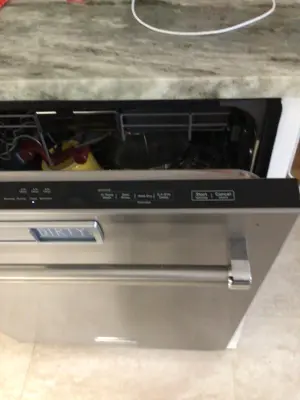
Look for this button on the control panel. It is often near the start or cancel buttons. The panel might be on the front or top edge of the door.
Press and hold this button for a few seconds to turn the lock off. The dishwasher will beep or the lock light will turn off when unlocked.

Credit: device.report
Steps To Disable Control Lock
The control lock on a KitchenAid dishwasher stops buttons from working. To turn it off, press and hold the “Heated Dry” and “Normal Wash” buttons together. Keep holding them for about 3 seconds. The control lock light will turn off. This means the lock is disabled.
Another way is to press and hold the “Start/Resume” button for 5 seconds. The lock will turn off, and the dishwasher controls will work again.
- Find the control lock button or icon on the panel.
- Press and hold the right buttons at the same time.
- Wait a few seconds until the lock light goes off.
- Try pressing other buttons to check if the lock is disabled.
Resetting The Dishwasher
To reseta Kitchenaid dishwasher, first make sure it is off. Find the control lockbutton on the panel. Press and hold the button for three seconds. This will disablethe lock. If the lock does not turn off, try again. Make sure the door is fully closed.
If problems persist, unplug the dishwasher. Wait for five minutes before plugging it back. This can help reset the control system. Always ensure the dishwasher is empty and clean. Check that there are no error codes showing.
Remember to consult the user manual if issues continue. It can provide specific instructions for your model. Contact customer service for further assistance if needed.

Credit: www.manua.ls
Troubleshooting Control Lock Issues
The Control Lockfeature stops buttons from working on your KitchenAid dishwasher. Sometimes, it won’t turn off.
Check if the control panel shows any error codes. These codes tell what is wrong.
- Look at the display screen for flashing numbers or letters.
- Write down the code to search in your manual.
- Some codes mean the control lock is stuck.
- Others may point to a sensor or wiring issue.
Errors can stop the lock from releasing. Clearing these codes may fix the problem.
Try pressing and holding the Control Lockbutton for 3 to 5 seconds. This often turns it off.
Preventing Accidental Control Lock Activation
Control Lock can activate by accident. This stops the dishwasher buttons from working. To prevent this, keep the control panel clean and dry. Avoid touching the panel with wet or dirty hands.
Do not press and hold buttons for too long. This can turn the Control Lock on. Teach children not to play with the dishwasher controls. This helps avoid accidental locks.
- Clean the panel gently with a soft cloth.
- Dry your hands before using the controls.
- Keep the dishwasher door closed when not in use.
- Check the control panel regularly for stuck buttons.
Credit: www.kitchenaid.com
Frequently Asked Questions
How Do I Unlock The Control Lock On My Kitchenaid Dishwasher?
To unlock, press and hold the Control Lock button for 3-5 seconds. The control lock icon will disappear, indicating it is off.
Why Is My Kitchenaid Dishwasher Control Panel Locked?
The control lock activates to prevent accidental use or changes. It locks the panel when the button is held accidentally or during a child lock setting.
Can I Disable Control Lock Without The Manual?
Yes, pressing and holding the Control Lock or Lock button for 3-5 seconds usually disables it without the manual.
What Does The Control Lock Symbol Mean On Kitchenaid?
The symbol indicates the control panel is locked, preventing any button presses from working until unlocked.
Conclusion
Turning off the control lock on your KitchenAid dishwasher is simple. Follow the steps carefully and take your time. This helps you use your dishwasher without trouble. Remember to check the manual if you get stuck. Regular care keeps your dishwasher working well.
Enjoy clean dishes and easy washing every day. Small actions make a big difference in your kitchen. Keep these tips handy for quick help anytime.